Editorial Disclosure: ErgoDeskLab is an independent ergonomic research publication. When you purchase through links in this guide, we may earn an affiliate commission at no extra cost to you. Read our full Affiliate Disclosure.
Quick Blueprint Hardware Bundles (2026 Tested)
- Blueprint A • The Corner Command (5×5 ft): FEZIBO L-Shaped Desk + Gabrylly 90° Flip-Up Arms Chair. View Desk on Amazon →
- Blueprint B • The Minimalist Nook (<50 Inches): SHW 44″ Electric Standing Desk + Ticova Ergonomic Chair. Check Nook Desk on Amazon →
Need exact floor plan dimensions? Jump straight to the 3 Curated Layout Blueprints & CAD Plans ↓
📋 Free Workspace Ergonomic Audit (Interactive Google Sheet)
Audit your desk height, monitor focal distance, and cable safety in under 10 minutes.
How to engineer a high-productivity, clutter-free workspace in tight rooms using proven ergonomic zoning and spatial design principles.
Setting up a home office in a spare bedroom, apartment living room, or studio nook is one of the most frustrating challenges in modern remote work. When square footage is tight, standard office furniture quickly creates a cramped, claustrophobic environment that ruins posture, encourages clutter, and drains cognitive focus.
At The ErgoDeskLab, our research shows that ergonomic comfort is not merely a question of buying an expensive chair. It is an exercise in spatial architecture—how your desk, seating, monitor alignment, and movement corridors interact within the physical boundaries of the room.
By combining environmental psychology, modern Feng Shui principles, and biomechanical human factors, this guide presents three practical layout blueprints engineered specifically for small spaces.
The 3 Core Methodologies of High-Performance Small Workspaces
Before positioning a single piece of furniture, apply these three spatial laws:
1. The Modern “Command Position” (Environmental Psychology)
Dating back centuries in architectural philosophy and modern ergonomics, your subconscious brain requires a sense of security to sustain deep focus.
- The Vulnerable Back: Never place your back directly against an open doorway. Sitting where you cannot see people entering triggers subtle, subconscious startle reflexes that induce micro-fatigue.
- The Diagonal Sightline: Position your desk facing inward or angled so that the room’s main entrance is in your peripheral vision, without placing yourself directly in the doorway’s draft line.
- Glance Angle to Natural Light: Avoid facing a window directly (causing severe contrast eye strain) or having a window directly behind you (creating screen glare). Position your desk perpendicular (90 degrees) to windows.
2. The Three Ergonomic Reach Zones
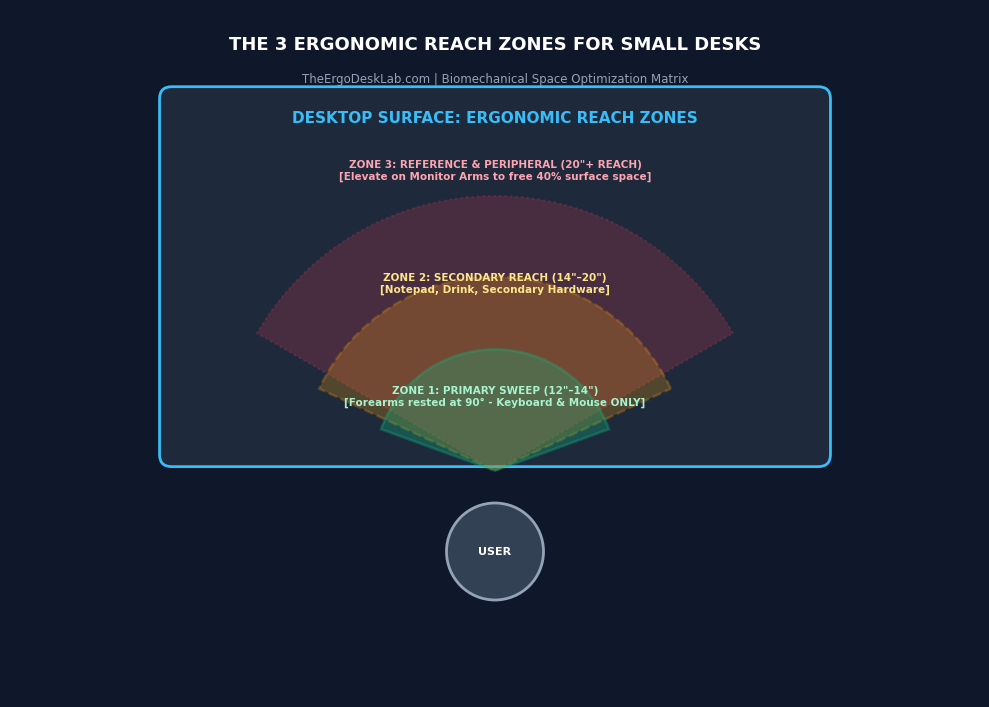
In compact workspaces, surface real estate must be ruthlessly guarded:
- Zone 1 (Primary Zone – 12 to 14 inches): The sweep of your forearms when elbows are rested at 90 degrees. This area is reserved strictly for your keyboard and mouse.
- Zone 2 (Secondary Zone – 14 to 20 inches): Accessible with a simple arm extension without bending at the waist. Reserved for your notepad, coffee mug, and phone stand.
- Zone 3 (Reference & Peripheral Zone – 20+ inches): Beyond your reach. Critical Small-Desk Rule: Heavy equipment should not sit on Zone 3 desktop space. Using a monitor arm frees up 35% to 40% of your desktop footprint by elevating screens completely off the surface.
3. The Clearance & “Tuck Factor”
- The 36-Inch Rule: Maintain a minimum clearance corridor of 36 inches behind your desk to allow for seamless chair roll-back and sit-to-stand transitions.
- Zero-Footprint Storage: When the workday ends, your chair should disappear. Chairs with 90-degree flip-up armrests or low-profile arm designs allow the seat to roll all the way flush against the desktop, restoring walking space to small bedrooms.
3 Curated Layout Blueprints for Small Spaces
Blueprint A: “The Corner Command” (Optimized for Multi-Purpose Rooms & Living Room Corners)
CAD Schematic: View Full Architectural CAD Blueprint & Dimensions
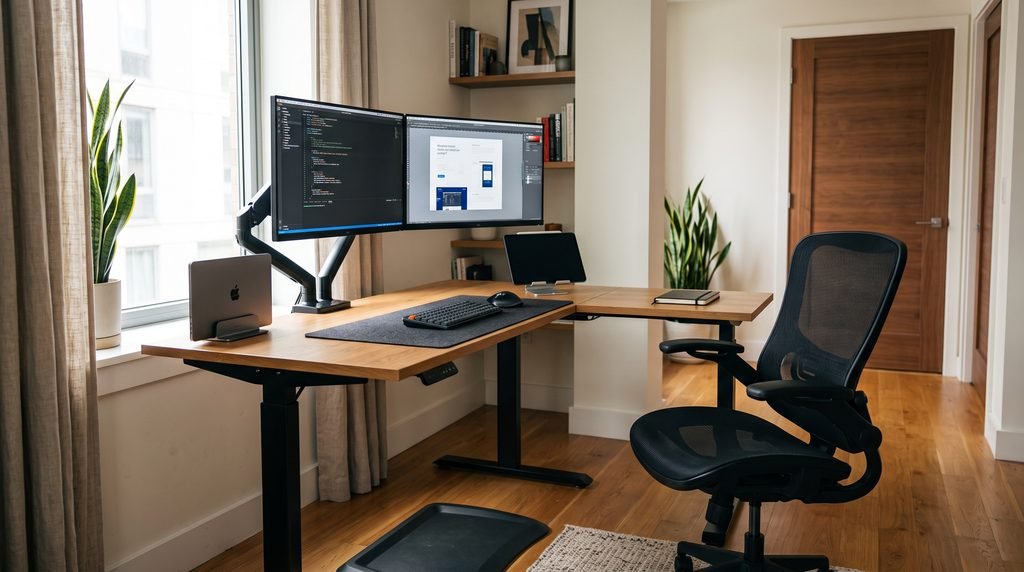
Why It Works:
Corners are frequently wasted dead zones. An L-shaped motorized desk converts an awkward 90-degree wall intersection into an executive cockpit, giving you two distinct functional zones (Digital Work vs. Analog/Paperwork) without encroaching on the center of the room.
The Curated Hardware Bundle:
- The Desk: FEZIBO L-Shaped Corner Desk
- Ergonomic Role: Smooth dual-motor elevation, reversible left/right configuration, and integrated pull-out drawers that eliminate desk clutter.
- The Chair: Gabrylly Ergonomic Mesh Chair
- Ergonomic Role: Features 90-degree flip-up armrests that let the chair slide completely under the L-desk when not in use, instantly opening floor space.
- Peripherals: Heavy-duty clamp-on Dual Monitor Arm + Under-desk wire management basket.
Blueprint B: “The Minimalist Nook” (Optimized for Bedrooms & Tight Spaces Under 50 Inches)
CAD Schematic: View Full Architectural CAD Blueprint & Dimensions
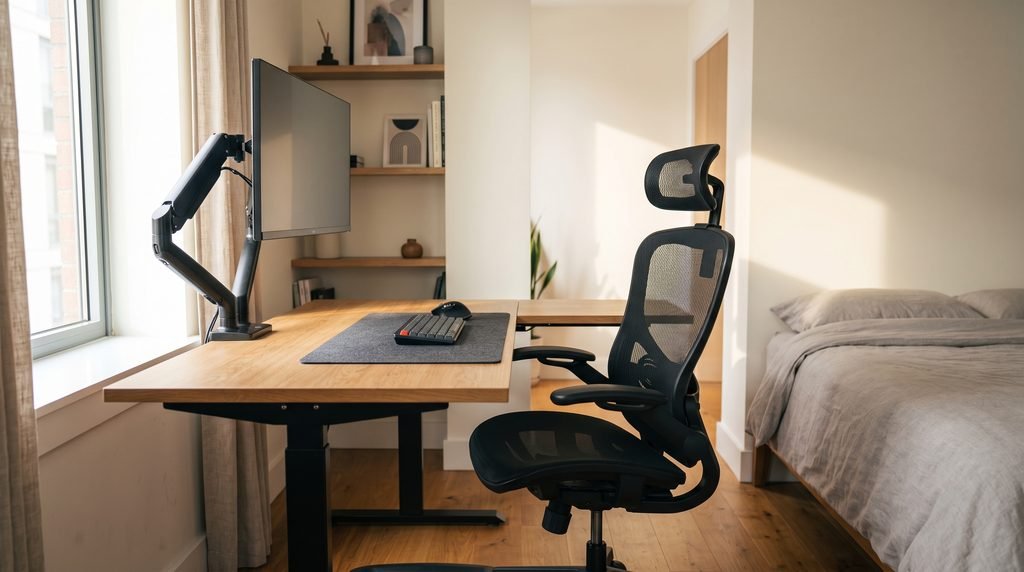
Why It Works:
When your workspace shares a room with your bed or living area, visual clutter creates psychological stress. This layout keeps the entire functional footprint under 48 inches wide while maintaining full standing height capability and spinal alignment.
The Curated Hardware Bundle:
- The Desk: SHW Electric Standing Desk (40-inch or 48-inch option)
- Ergonomic Role: Ultra-compact footprint, 4-memory digital presets, built-in headphone hooks, and minimal frame intrusion.
- The Chair: Ticova Ergonomic Office Chair or Mimoglad Ergonomic Chair
- Ergonomic Role: High-grade lumbar adjustability in a slim silhouette with compact caster bases that don’t snag on rugs.
- Peripherals: Single Gas-Spring Monitor Arm (elevates your laptop or 27″ monitor, freeing up the entire desk surface for keyboard and notebook).
Blueprint C: “The Biophilic Energy Flow” (Optimized for Dedicated Rooms & Natural Light)
CAD Schematic: View Full Architectural CAD Blueprint & Dimensions
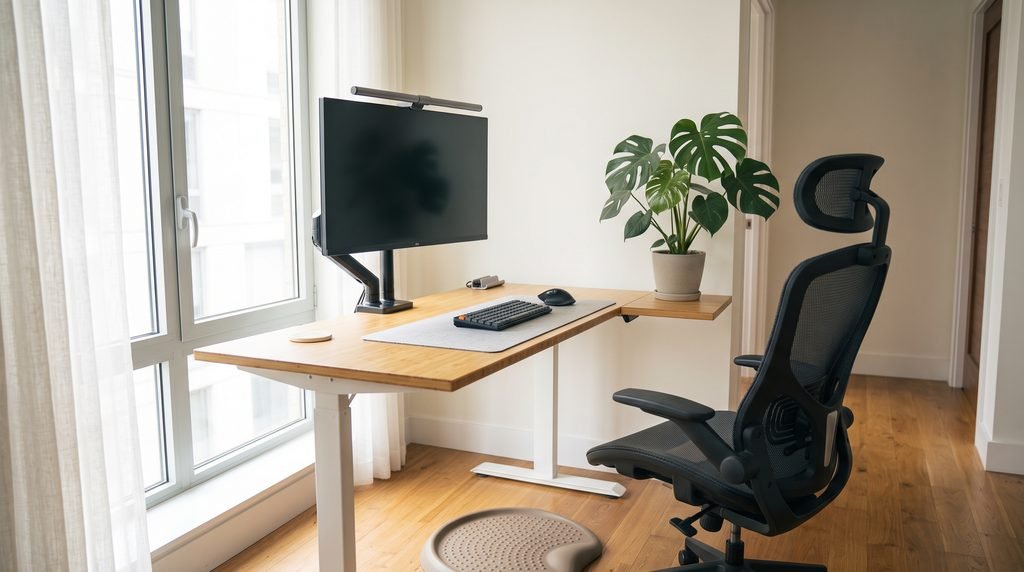
Why It Works:
Biophilic design incorporates natural light, living plants, and organic materials to reduce cortisol levels and prevent afternoon slumps. By placing the desk perpendicular to the window, you receive the full circadian benefits of natural day lighting while maintaining a secure view of the room entrance.
The Curated Hardware Bundle:
- The Desk: FlexiSpot Electric Standing Desk or Vari Classic Electric Standing Desk
- Ergonomic Role: Natural bamboo work surface, dual-motor whisper-quiet transition, and commercial-grade lateral stability.
- The Chair: SIHOO Doro C300 or NOUHAUS Ergo3D
- Ergonomic Role: Full all-mesh breathability for optimal airflow, dynamic self-adaptive lumbar tracking, and executive styling.
- Peripherals: Desktop plant riser, warm-spectrum LED light bar (no screen reflection), and anti-fatigue standing mat.
| Layout Blueprint | Best Room Type | Minimum Floor Space | Recommended Desk | Recommended Chair | Primary Benefit |
| The Corner Command | Living Room / Den | 5 ft x 5 ft corner | FEZIBO L-Shaped | Gabrylly | Reclaims dead corner space; dual-surface workflow |
| The Minimalist Nook | Bedroom / Studio Alcove | 4 ft x 4 ft niche | SHW Electric (40″-48″) | Ticova / Mimoglad | Smallest footprint; zero visual clutter |
| The Biophilic Flow | Spare Room / Home Office | 6 ft x 6 ft room | FlexiSpot / Vari | SIHOO C300 / NOUHAUS | Maximum focus, natural lighting & airflow |
The 5 Universal Golden Rules for Small-Desk Ergonomics
- Top of Monitor at Eye Level: Your eyes should naturally align with the top third of your display. Looking down strains the cervical spine (the equivalent of hanging a 40 lb weight from your neck).
- The 90-Degree Forearm Benchmark: When your chair height is dialed in, your elbows should rest comfortably at a 90-to-100-degree angle on your armrests, flush with your desk surface.
- Feet Firmly Planted: If you must raise your chair to reach your desk height, always use an ergonomic footrest to prevent pressure on your thighs and maintain circulation.
- Relocate Peripherals to Vertical Mounts: Get power strips, laptops, and hard drives off your desktop. Use under-desk cable trays and monitor arms.
- The 30/30 Sit-Stand Cadence: In small rooms, bodily movement is naturally constrained. Program your standing desk memory presets to shift between sitting (45–50 minutes) and standing (15–20 minutes) throughout the day.
Implementation Checklist: Setting Up in an Afternoon
Interactive Setup Checklist & Ergonomic Tracker (Google Sheets)
Make a copy or download as an interactive tracker to audit your clearance paths, monitor elevation, power routing, and posture calibration.
Related Resources:
- The Best Standing Desks of 2026: Ergonomics, Stability, and Value Tested
- Top 5 Ergonomic Office Chairs Under $500: Tested & Reviewed
Published by: The ErgoDeskLab Research & Design TeamLast Updated: 2026 Edition